The best focus apps do one of three jobs: they take the distraction away, they structure your time, or they change the sound in your ears. Pick by which one is actually failing you — the five below are the strongest option in each job, and none of them is a substitute for another.
Hard blocking is its own category and we rank it separately, on how easily each option can be got around, in our roundup of the best app blockers for iPhone. This list is about what you do with the hour once the feed is out of reach.
1. RepUnlock — Best Overall Focus App
RepUnlock takes the top spot because it does something no other focus app can: it converts your distraction impulses into physical exercise. When you try to open a blocked app, RepUnlock requires you to complete a set of exercises — push-ups, squats, jumping jacks, high knees or lunges — counted by the front camera in real time, on-device. Walking counts too, straight from your step data, with no camera at all.
This is not a gimmick. The science behind it is sound. Brief physical activity triggers a dopamine release that satisfies the craving your brain was trying to fill by checking social media. It also increases blood flow to the brain, improving cognitive function and focus for the work session ahead. You get the dopamine hit you were seeking, but from a healthy source.
Why RepUnlock Wins
Best for: Anyone who wants to reduce screen time while getting fitter. Students, remote workers, and fitness enthusiasts particularly love it.
Platform: iOS
Price: Free with Pro upgrade available
Learn more about RepUnlock’s focus app features and how it can transform your productivity.
2. Forest — Best for Visual Motivation
Forest uses a charming gamification mechanic: plant a virtual tree when you start a focus session, and it grows as long as you stay off your phone. Leave the app, and your tree dies. Over time, you build a virtual forest that represents your focused hours.
Forest has been around for years and remains popular because the visual metaphor is compelling and the guilt of killing a tree is surprisingly effective. The app also partners with a real tree-planting organization, so your virtual focus sessions contribute to actual reforestation.
However, Forest’s effectiveness is limited by its reliance on willpower. You can always close the app and kill the tree if the urge to check social media is strong enough. There is no physical or technical barrier preventing you from doing so.
Best for: Visual thinkers and environmentally-conscious users who respond to gamification.
Platform: iOS, Android
Price: $3.99 one-time purchase
3. The Blockers — Reviewed Separately
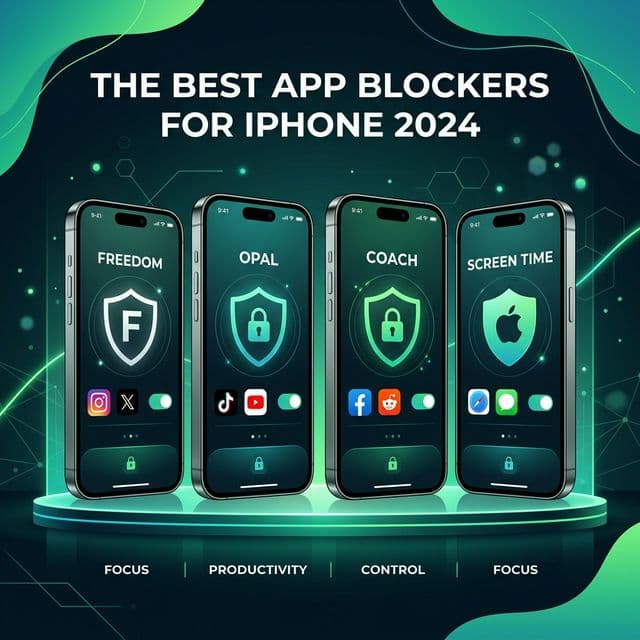
Opal, Freedom, One Sec, Cold Turkey and ScreenZen are all worth knowing about, but they answer a different question: not “how do I work well for the next hour” but “how do I stop opening this app at all.” We review the five of them on price, coverage and how easily each one can be got around in the best app blockers for iPhone. Pick one from there, then come back and pick a timer or an audio tool from here.
Choose Based on Your Weakness
4. Tide — Best for Ambient Focus Sounds
Tide takes a different approach to focus by combining a Pomodoro timer with immersive ambient soundscapes. Choose from sounds like rain, ocean waves, forest, or coffee shop, and let the timer structure your work into focused intervals with short breaks.
The app does not block anything — it creates an environment conducive to focus rather than preventing distractions. This works well for people who respond to environmental cues and who already have reasonable self-control but want help structuring their time.
Tide also includes sleep sounds and a mindfulness module, making it a holistic wellness companion. However, if you need actual app blocking, you will need to pair Tide with another tool.
Best for: Users who want ambient sound and Pomodoro timing rather than app blocking.
Platform: iOS, Android
Price: Free with premium at $11.99/year
Layer Your Approach
5. Focusmate — Best for Accountability Partners
Focusmate pairs you with a real person via video call for a co-working session. You declare your goal at the start of the session, work alongside your partner (cameras on), and report your progress at the end. The social accountability of having someone watch you work is remarkably effective.
This is not an app blocker — it is a human-powered accountability system. The presence of another person creates a social contract that makes checking your phone feel awkward and inappropriate. Studies show that Focusmate users are 3 times more likely to complete their planned tasks.
Best for: Remote workers and freelancers who miss the accountability of a shared office.
Platform: Web-based
Price: 3 free sessions/week, unlimited at $9.99/month
6. Brain.fm — Best for AI-Powered Focus Music
Brain.fm uses AI to generate music specifically designed to enhance focus, relaxation, or sleep. Unlike regular music or ambient sounds, Brain.fm’s compositions incorporate neural phase locking — rhythmic patterns that encourage sustained attention at a neurological level.
The science behind Brain.fm has been validated in peer-reviewed studies showing measurable improvements in focus duration and task performance. The music is not catchy or memorable by design — it fades into the background while keeping your brain in a focused state.
Best for: Users who want scientifically-backed audio to enhance concentration.
Platform: iOS, Android, Web
Price: $6.99/month or $49.99/year
A timer ends on its own. Volt does not — he holds the apps until the reps are counted, and one rep hands back one minute.
Get RepUnlockOur Top Pick for 2026
How to Choose the Right Focus App
The best focus app depends on your specific needs and personality. Consider these factors when choosing.
Match the Tool to Your Problem
Think about the level of strictness you need. A gentle reminder is enough for an absent-minded open and never enough for a craving. RepUnlock sits in the middle and that is the point — you can still get to the app, but you have to earn it with physical effort rather than wait out a clock.
Also consider whether you want a single-purpose tool or a holistic solution. RepUnlock stands out because it addresses focus, screen time reduction, and physical fitness simultaneously. For students preparing for exams, check out our dedicated study app guide for more specific recommendations.
Final Thoughts
The focus app market in 2026 is mature and diverse, offering solutions for every type of distraction and every personality. The key insight is that no app can give you focus — they can only remove or reduce the barriers to it. The work of actually focusing still falls on you.
That said, the right tool makes an enormous difference. A good focus app turns your phone from an enemy of productivity into an ally. RepUnlock goes even further, turning it into a fitness tool. Whatever you choose, taking the step to install and use a focus app is one of the highest-return investments you can make in your personal and professional life.